
No. 01: How to send a ticket to a friend on Ticketmaster
Your buddy bailed. Your other buddy didn't. Here's how to get the seat to the right one.
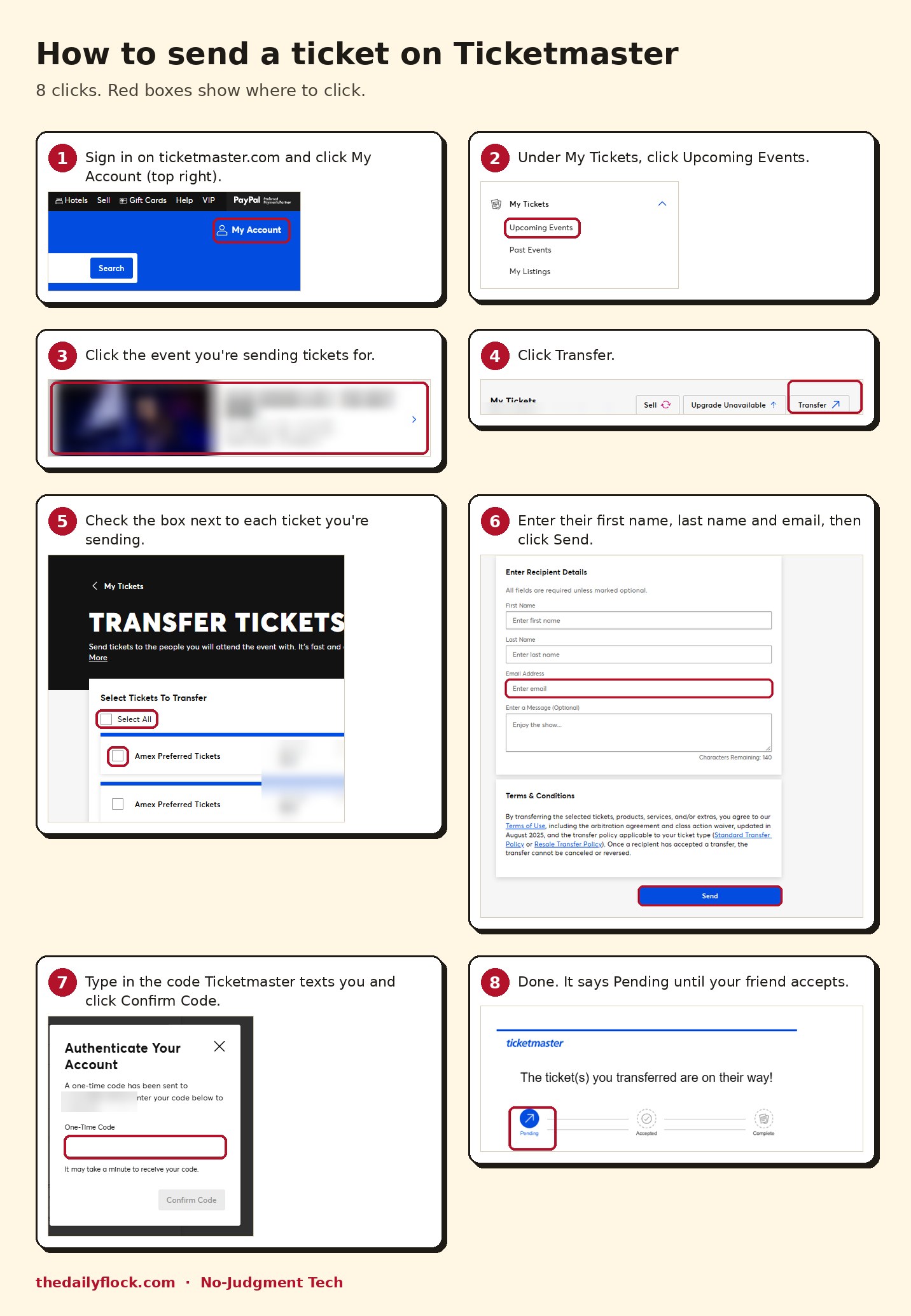
Your friend bailed on the game at 4 p.m. Your other friend says "I'm in" at 4:02. Now there's a ticket in your account that needs to be in theirs.
Don't screenshot it and don't text a photo of the barcode. Screenshots don't scan, because the code on the real ticket keeps changing. You transfer it. It takes about two minutes.
1. Sign in on ticketmaster.com and click My Account in the top right.

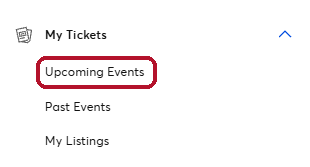
2. Under My Tickets, click Upcoming Events.
3. Click the event you're sending tickets for.

4. Click Transfer.

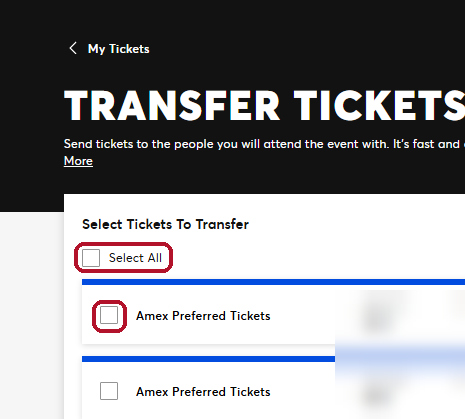
5. Check the box next to each ticket you're sending. If you're going too, leave yours unchecked.
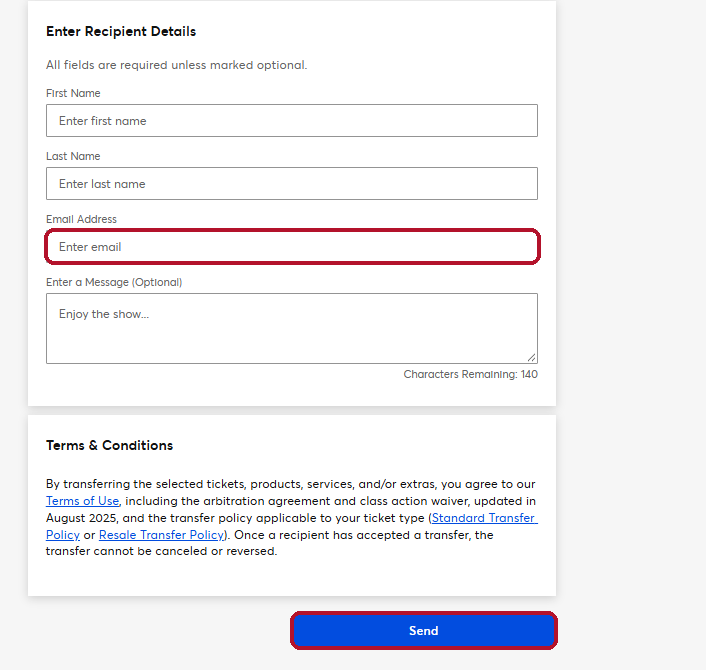
6. Type in your friend's first name, last name and email. Add a message if you want ("Enjoy the show" is the default). Click Send.
7. Ticketmaster texts you a one-time code. Type it in and click Confirm Code. That's how it knows you're you.
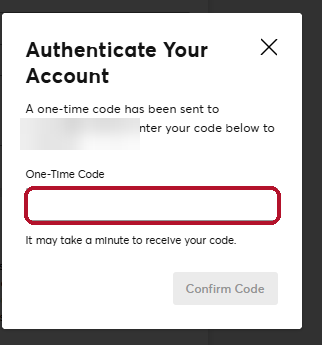
8. Done. It shows Pending until your friend accepts it from their email. Then it's theirs.
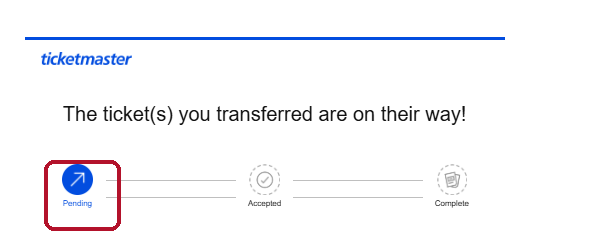
The mistake everybody makes: sending it to the wrong email. It has to be the email on your friend's Ticketmaster account, not the one they actually check. Ask first. It saves a parking-lot argument.
Read this before you hit Send: once your friend accepts, the transfer can't be canceled or reversed. That's Ticketmaster's rule, and it's in the fine print right above the Send button. Double-check the name and the seats.
And don't wait until you're at the gate. I send mine the day before.
That's it. One task. You did it. Go enjoy the game.
— Hank
- ticketmaster
- tickets
- how-to
Talk back
0 commentsNo comments yet. Say something, neighbor.